Design More, Code Less: Your Real Job in the AI Era
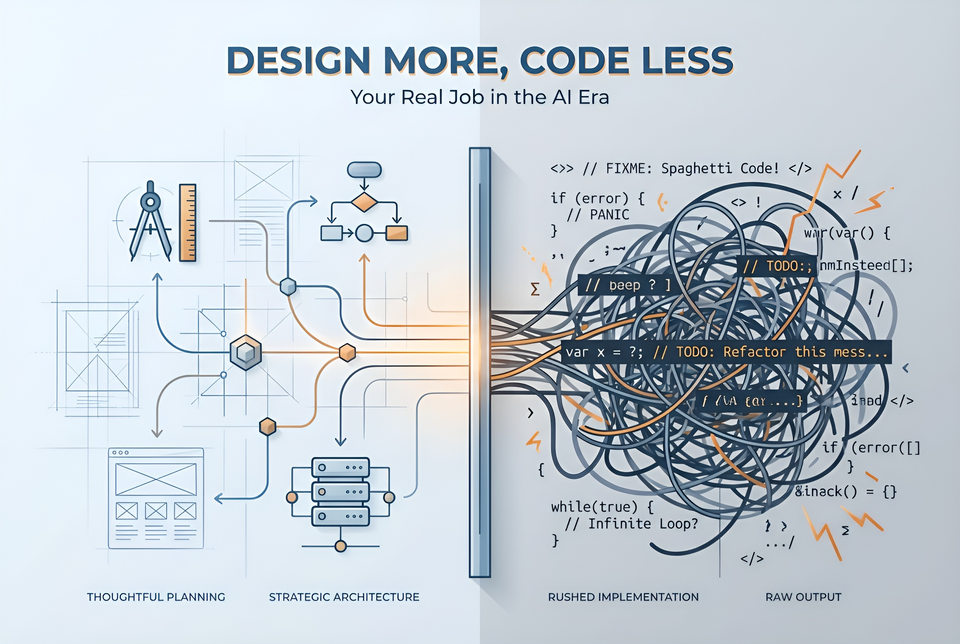
A while ago, I asked my AI coding assistant to build a user authentication system into an application I’m building. Code poured onto the screen — handlers, middleware, database models, token logic. Fifteen minutes later, I had more code than I had written in a day.
Two hours after that, I was drowning. The auth code didn’t quite work as expected. Session management and token management were clashing. The code technically worked, but it was a tangled mess I couldn’t maintain or explain to any of my colleagues.
The AI did exactly what I asked. That was the problem.
AI makes it way too easy to skip the thinking
Writing code used to be slow. That friction was a feature — it forced you to plan because rewriting was expensive. AI coding assistants have removed that friction entirely. Generating code is basically free now, so developers skip straight to implementation without thinking twice.
You’ve probably already seen the anti-patterns. “Vibe coding” — ad-hoc prompting with no structured requirements. You type what feels right and hope for the best. And if you’re using one of the fancy workflows like BMAD, SpecKit, or the Superpowers plugin, you still get bad results, because it still is “Prompt, and pray", but with more tokens wasted. Both produce code that breaks subtly and doesn't hold up under real-world pressure.
I’ve fallen into this trap myself. The pattern is always the same: initial excitement, rapid progress, then collapse. Addy Osmani calls this the 70% problem — AI gets you 70% of the way surprisingly fast, but the remaining 30% demands the engineering expertise that was never applied upfront.
And the mess is measurable. GitClear tracked an 4x increase in code duplication during 2024 compared to two years earlier. AI generates mountains of code, but without design guidance, much of it is redundant spaghetti. I thought I wouldn’t fall for this one, but it happened. I had a lot of code duplication when rendering a list of content items on a website across three pages. Instead of building a component to render a list of content, the agent copied the list code into three places, with the proud comment: “I reused the logic across all three places.” Technically correct, but very sad.
There’s a better way. And it starts before you ever open the chat window.
Your value is shifting upstream
Here’s what I’ve come to believe: your competitive advantage is no longer typing speed, syntax knowledge, or the ability to crank out boilerplate. It’s your ability to think clearly about problems, design solid architectures, and write precise specifications.
Coding represents only about 15-20% of software engineering work. The rest — planning, testing, code review, production readiness, maintenance — has always been the real job. AI accelerates only the coding portion. Everything else still requires you.
So AI isn’t replacing you. It’s redirecting your energy to where it matters most. AI can implement. You should design.
Why design matters more than ever
AI follows instructions literally. The classic “Garbage In, Garbage Out” principle hits different when AI produces large volumes of code at machine speed. Bad specifications generate bad code — and the output looks competent, which makes problems harder to spot.
Compare two approaches. A vague prompt like “Build me a user authentication system with better-auth” forces the AI to guess what your intention is, even if you specify a library or framework to use. You get generic code that conflicts with your existing architecture. But if you specify what to use from the framework, authentication methods, password rules, session configuration, and integration points, the AI produces code that actually fits your system.
The AI didn’t fail in the first scenario. I gave it nothing to succeed with.
AI has zero context about your system. I like how Pete Hodgson puts it: AI “writes senior-level code but makes junior-level design choices.” It can produce elegant functions, but it knows nothing about your coding standards, preferred libraries, or existing solutions. It operates as if it’s its first hour on the team.
Fixing AI spaghetti costs more than writing good specs. Traditional technical debt accumulates linearly. AI technical debt compounds — because AI generates more code faster, the debt piles up at machine speed. I’ve seen teams spend more time debugging AI-generated code than they saved generating it. Thirty minutes of writing a clear spec upfront saves hours of untangling later.
What I actually do differently now
Saying “design more” is easy. Here’s what it looks like in practice.
Write specs before prompting
I keep it simple — a focused markdown file with architecture decisions, acceptance criteria, and constraints. No heavyweight waterfall-style documents. I brainstorm the spec with the AI first, outline a step-by-step plan, and only then start writing actual code. This consistently outperforms ad-hoc prompting. I keep a separate set of documentation in docs/architecture to record the architecture of my solution using arc42.
Record your software architecture
Speaking of architecture, I define the architecture and boundaries first before I even consider the specifications. Architecture decisions are the highest-leverage thing you can write down. I define module boundaries, interfaces, technology choices, and patterns before generating code. Without these constraints, the AI makes its own architectural decisions — and they won’t align with yours. I prefer to use ADR documents to record my decisions, then update the rest of the architecture documentation based on them.
I made a specialist skill for my coding agent to help me record ADR documents effectively. I may have to share that one someday.
Use AI for design exploration
Over the past year, I discovered that it makes sense to use AI for design exploration, not just implementation. Before jumping to code, I use AI to explore trade-offs and stress-test my design. I ask it to poke holes in my approach. Challenge it to compare alternatives. AI is a surprisingly good thinking partner when you use it for design rather than just output. I often find things I missed in my initial thinking using this method.
Engineer your context
Modern AI coding tools support persistent configuration files — CLAUDE.md, cursor rules, GitHub Copilot Instructions, and strategy documents. They even support nesting rules. I write my coding standards, architecture decisions, and constraints into these files upfront. It saves a ton of repeated explanation and keeps every AI session aligned with my architecture. I like to refer to the architecture documentation in my CLAUDE.md file for important architectural guidance to help the agent understand key design decisions. More basic things, like coding and testing standards, I document as skills. I list the important skills in CLAUDE.md as well, since it helps the agent find them more easily.
Treat the AI output as a draft
This is where most failures start: accepting AI-generated code as production-ready. I treat everything the AI produces as a first draft. Generate, review against my specs, refine together in iterations, test, then commit. The code that ships should reflect my judgment, not just the model’s output.
I have a specific approach to reviewing the produced code:
- First, I run the linter and static analysis tools to identify code style and structural issues. I don’t mind that the AI uses a slightly different coding approach than I would, but I do want things to make sense. It’s not about taste but about the facts.
- Next, I run the AI code review skill I wrote to help me weed out obvious mistakes. It’s not perfect, but it saves me time so I can focus on the third step.
- In the final review, I focus on the top code smells. For example, I review security-related code more closely to make sure the system is watertight. I also look for code duplication issues, since AI is prone to them and often fails to detect them.
Cook lasagna
When discussing my AI coding experiences with colleagues, I often refer to them as making lasagna. I guess it's sort of the counterargument to the spaghetti that you get when you let AI write code without proper design.
In many of my design sessions, I end up with a list of work items that I want to complete with AI. And often I find myself with logical blocks of logic that I want to implement. For example, I have a piece of frontend code, some documentation, and a piece of backend code. It varies, of course, depending on what I'm building. But you get the idea. These are the layers in my lasagna.
I won't ask my coding agent to build the full feature in one session. I break down sessions into smaller sessions, so I don't get buckets of spaghetti. Instead, I get layers of lasagna that are easier to verify. It's also faster, because the agent has less exploration steps to go through.
This is a promotion, not a threat
The developer role is shifting from writing code to designing systems and code. AI isn’t replacing you. It’s moving you from a typist to a true software engineer. But only if you deliberately step into that role.
Let me be clear for those of you wondering if they’ll ever write code again. You do, if you need to design an algorithm or figure out how to properly instruct your agent. And since your agent is lightning fast, you have more time to spend on truly understanding that library or code pattern before throwing your agent at it.
A well-designed spec, architecture, and backlog should be your focus, though, since they can generate thousands of lines of correct code. A vague prompt generates thousands of lines of problems.
Next time you reach for your AI assistant, stop. Spend an hour writing a spec first and exploring what you really want to build. Write down the framework, the interfaces, three acceptance criteria, and two things the code should not do. Then prompt.
Notice the difference.