How I use Claude Code to keep my architecture decisions on track
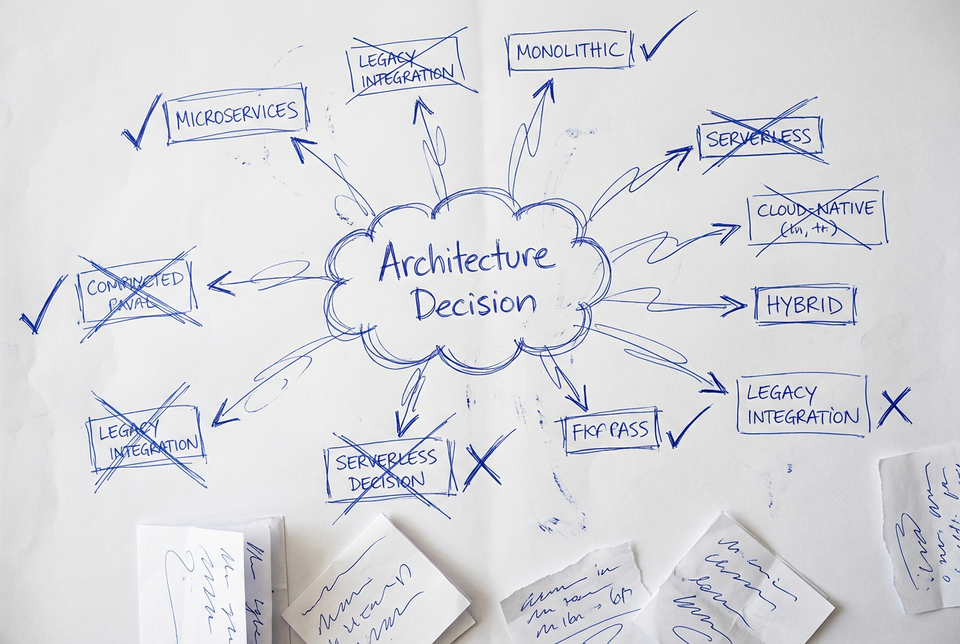
I've been building a project almost entirely with AI, and it changed how I think about architecture documentation. When AI writes most of your code, your job shifts toward design — and that means you're making a lot more architecture decisions than usual. If you're doing it right, that is. Decisions about data stores, API boundaries, event patterns, and authentication flows. They pile up fast.
The problem is, those decisions are the highest-leverage thing you can write down. They're what guide the AI in the next conversation. Skip documenting a decision, and you'll spend twice as long re-explaining context next time. So I built a Claude Code skill that makes recording architecture decisions much easier.
Arc42 in 2 minutes
Before I show you the skill, let me give you a quick primer on the framework I use for architecture docs.
Arc42 is a template for software architecture documentation created by Gernot Starke and Peter Hruschka. It gives you 12 sections, each covering a specific aspect of your system's architecture. The key thing about arc42 is that it's flexible and everything is optional. You don't need to fill in all 12 sections. Start with what matters and add the rest when you need it.
Here are the 12 sections at a glance:
| # | Section | What It Covers |
|---|---|---|
| 1 | Introduction and Goals | Requirements, stakeholders, quality goals |
| 2 | Constraints | Technical and organizational constraints |
| 3 | Context and Scope | System boundary and external interfaces |
| 4 | Solution Strategy | Fundamental solution decisions |
| 5 | Building Block View | Code structure and decomposition |
| 6 | Runtime View | How components interact at runtime |
| 7 | Deployment View | Infrastructure and deployment |
| 8 | Crosscutting Concepts | Recurring patterns and approaches |
| 9 | Architecture Decisions | Important decisions and their rationales |
| 10 | Quality Requirements | Quality tree and scenarios |
| 11 | Risks and Technical Debt | Known problems and risks |
| 12 | Glossary | Key terms and definitions |
I recommend reading Michaël Hompus his blog post series on architecture where he covers all the sections from the Arc42 template.
My approach is simple: I create one markdown file per section in a docs/architecture/ directory.
docs/architecture/
├── 01-introduction-and-goals.md
├── 02-constraints.md
├── 03-context-and-scope.md
├── 04-solution-strategy.md
├── 05-building-block-view.md
├── 06-runtime-view.md
├── 07-deployment-view.md
├── 08-crosscutting-concepts.md
├── 09-decisions.md
├── 10-quality-requirements.md
├── 11-risks-and-technical-debt.md
├── 12-glossary.md
└── adr/
    ├── 001-use-postgresql-for-user-service.md
    └── 002-adopt-event-sourcing-for-orders.md
I start by filling out Section 1 — Introduction and Goals. That section captures what you're building, who it's for, and what quality attributes matter most. It's the single most useful thing you can fill out first, because it gives everything else context. Including your AI tools.
Section 9 is where architecture decisions live. But what exactly goes in there?
Architecture Decision Records: the short version
If you already know what ADRs are, skip ahead. If not, here's the 30-second version.
ADRs were popularized by Michael Nygard back in 2011. The idea is dead simple: one short document per architecture decision. Each one captures what you decided, why you decided it, what alternatives you considered, and what the consequences are.
The problem they solve is real. Decisions are made in conversations and then forgotten. New team members either blindly accept past decisions they don't understand or blindly undo them. Both are bad. ADRs fix this by putting the reasoning in version control, right next to the code.
You store them sequentially numbered in a directory, and you never delete them — even if a decision gets superseded, you keep the old one and link to the replacement. That history matters.
So we've got a lightweight doc framework and a simple decision format. The missing piece is actually writing them consistently. That's where Claude Code comes in.
The record-adr Claude Code skill
This is the part where it gets good. But let me explain what skills are, first.
What are Claude Code skills?
Skills are folders with a SKILL.md file that teach Claude Code how to do a specific task. They live in .claude/skills/ in your project, they're version-controlled, and they're shared with your team. You invoke them by typing something that the agent can recognize to be that skill. For example, I like to type: "Record an ADR for this decision: <short description of the decision>", and that will trigger the skill.
The important difference between skills and CLAUDE.md: your CLAUDE.md is always loaded into context. Skills load on-demand, only when you invoke them or when Claude decides they're relevant. That makes them ideal for specific workflows that you don't need in every conversation.
You can also trigger the skill by typing /record-adr followed by a short description of the decision you want recorded. I've found that Claude Code works a little more consistently when you do this.
The skill file
Here's the full SKILL.md for my record-adr skill:
---
name: record-adr
description: Use this to create or modify architecture decision records (ADRs)
---

IMPORTANT: Use the template stored in `./templates/adr.md` to record the architecture decision.

## Guidelines for recording the decision
- Use a single sentence to describe the decision made.
- Defer any explanation for why to the context section.

## Guidelines for recording the context
- Make sure to include alternatives to the choice we're recording.
- Explain why we have to make the choice in the first place.

IMPORTANT: If you don't have this information, ask the user to provide the information!

## Guidelines for recording the options considered
- Create a sub section per option and provide a short description of the pros and cons of the option.
- Keep the description short and concise

## Guidelines for recording the consequences
- List the consequences one-by-one
- Include both positive and negative consequences in the list

## Where to store the ADR files
- Store ADR files in `docs/architecture/adr`
- Give a unique number to each ADR and write files like this: `001-title-of-the-adr.md`
- Include the ADR in the TOC in `09-decisions.md` located in `docs/architecture`
Let me walk you through what this does. The skill tells Claude to use a specific template, provides guidelines for each section of the ADR, and specifies exactly where to store the files. It even instructs Claude to update the table of contents in the decisions chapter. The IMPORTANT note about asking the user is key — if I just type ask the agent to record an ADR without enough context, Claude will ask me clarifying questions instead of guessing.
One tip: if you want to make sure this skill only runs when you explicitly invoke it (and not when Claude decides to auto-trigger it), you can add disable-model-invocation: true to the frontmatter. I haven't felt the need for that, but it's a good option for skills with bigger side effects.
The ADR template
The skill references a template file. My template is based on Nygard's original format with a few additions — I like having explicit sections for the options I considered and for references. Here's what it looks like:
# [ADR000] - Title of the ADR

- **Status:** Accepted/Proposed/Superseded
- **Date:** Date recording this decision

## Context
[Record the context of the decision here]

## Considered options
[Record the considered options with pros and cons in subsections here.]

## Decision
[Record the decision here]

## Consequences
[Record the consequences of the decision here]

## More information
[Record references that provide extra information.]
Nothing fancy. That's the point. The template enforces consistency — every ADR looks the same, which makes them scannable and predictable. When you're reading through 15 decisions six months from now, you'll appreciate that they all follow the same structure.
Using the skill
When I need to record a decision, I type /record-adr in Claude Code and describe what I decided. As I mentioned before, I use "Record an ADR for ..." as an alternative to the slash command. I describe decisions with something like "We're going with PostgreSQL instead of MongoDB for the user service because we need strong transactional guarantees." Claude takes that, asks a few follow-up questions if it needs more detail on the alternatives or consequences, and then writes the ADR file to the correct directory with the correct numbering. It also updates the table of contents in 09-decisions.md so the decision shows up in the architecture docs immediately.
The whole thing takes about 30 seconds to around a minute. So there really is no reason to skip recording important decisions. It helps your colleagues and it leads to better AI results.
It won't handle complex multi-decision scenarios perfectly. If you're making five interconnected decisions at once, you'll want to break those into separate invocations. But for the typical "we picked X over Y because Z" decision, it's remarkably reliable.
After recording the initial draft ADR, I go through the text and refine it into a fully documented decision. I find myself typing follow-up remarks a lot to refine the ADR with additional information. That's the beauty of using a tool like Claude Code.
The bigger picture: ADRs as raw material
Having a skill that records individual decisions is useful in its own right. But the real payoff comes when you combine ADRs with the rest of your arc42 documentation.
Here's my workflow:
- Set up the arc42 files. Create the 12 markdown files in
docs/architecture/. Just the headings are fine to start. - Fill out Section 1 first. Write down what you're building, who the stakeholders are, and what the top quality goals are. This gives Claude the project context it needs to write better ADRs.
- Record decisions as you go. Every time you make an architecture choice during development, type
/record-adr. It takes 30 seconds. - Watch Section 9 grow. The ADRs accumulate, and since the skill updates the table of contents, your decisions chapter stays up to date automatically.
- Use ADRs to fill out other sections. After you've recorded 5-10 decisions, ask Claude to help you summarize them into Section 4 (Solution Strategy) to set up a solution design. The decisions already contain all the reasoning — the summary practically writes itself.
You can use ADRs to update other sections as well. I found that while I asked Claude to update section 4 in the beginning, I changed the command to update other sections once I started building features.
That last step is the key insight. ADRs become the building blocks for the rest of your architecture documentation. The decisions capture the "why" behind your system, and everything else in arc42 is just organizing that "why" in different ways.
You won't have perfect documentation on day one. But after a few days to weeks of recording decisions, you'll have something most teams never achieve: a living record of how and why your system is shaped the way it is.
Give it a try
Copy the skill I showed you, adapt the template to your team's conventions, and start recording decisions. ADRs are a great starting point for Claude Code skills because the format is rigid enough to automate well. Once you see how easy it is, you'll probably want to build skills for other repetitive documentation tasks too.